
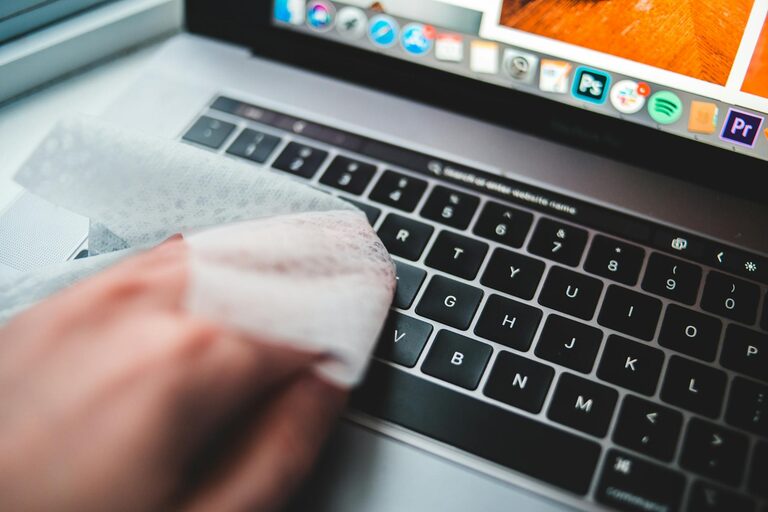
Keeping your phone and keyboard clean is essential for maintaining hygiene and ensuring these devices work properly over time. Since we use these gadgets daily, they accumulate dirt, oils, and germs that can affect both your health and the device’s performance. In this post, we’ll guide you through safe and effective ways to clean your phone and keyboard, using readily available materials and simple techniques.
Why Cleaning Your Devices Matters
Phones and keyboards are high-touch surfaces, often exposed to dust, food particles, and microbes. Without regular cleaning:
– Bacteria and viruses can build up, increasing the risk of illness.
– Dirt and grime may interfere with touchscreen responsiveness or keyboard keys.
– Devices can look worn and less appealing.
Regular cleaning helps maintain appearance, functionality, and hygiene.
—
General Tips Before You Start
Before you begin cleaning your phone or keyboard, keep these precautions in mind:
– Turn off and unplug your devices: This prevents accidental inputs and reduces the risk of electrical damage.
– Use gentle cleaning materials: Avoid harsh chemicals, abrasive cloths, or excess liquid.
– Do not spray liquids directly: Always apply cleaning solutions to a cloth first.
– Check manufacturer guidelines: Some devices have specific cleaning instructions or restrictions.
—
How to Clean Your Phone Safely
Phones are delicate devices with screens and ports that can be sensitive to moisture and pressure. Here’s how to clean yours without damage.
What You Need:
– Microfiber cloth (soft and lint-free)
– Distilled water
– Isopropyl alcohol (70% or less) or pre-moistened electronics cleaning wipes
– Cotton swabs
– Small soft brush (optional)
Step-by-Step Cleaning Process:
- **Power off your phone** and disconnect any cables or accessories.
- **Prepare your cleaning cloth:** Lightly dampen the microfiber cloth with a mix of 50% distilled water and 50% isopropyl alcohol, or use a designated electronics cleaning wipe. Avoid soaking the cloth.
- **Wipe the screen gently:** Use smooth, circular motions to clean the front and back surfaces. Avoid pressing too hard on the screen.
- **Clean ports and crevices:** Dip a cotton swab in a small amount of isopropyl alcohol. Carefully clean areas like charging ports, speaker grills, and the edges of buttons. Be gentle to avoid pushing debris further in.
- **Dry your phone:** Use a dry microfiber cloth to remove any remaining moisture.
- **Optional:** Use a small soft brush to remove dust particles from tight spaces before wiping.
Extra Tips
– Avoid bleach, window cleaners, or household disinfectants.
– Use alcohol wipes intended for electronics if available.
– Clean your phone regularly, especially after exposure to public places.
—
How to Clean Your Keyboard Safely
Keyboards can accumulate crumbs, dust, and oils from fingers, which may cause sticky keys or unhygienic conditions.
What You Need:
– Microfiber cloth
– Isopropyl alcohol (70% or less)
– Cotton swabs
– Compressed air can (optional)
– Small brush (such as a paintbrush)
– Mild dish soap (for deep cleaning)
Step-by-Step Cleaning Process:
- **Turn off your computer or disconnect the keyboard** if using an external one.
- **Remove loose debris:** Hold the keyboard upside down and gently shake it to dislodge crumbs and dust.
- **Use compressed air:** Blow compressed air between the keys to remove more trapped dust and debris.
- **Brush the keys:** Use a soft brush to sweep away remaining particles on and between keys.
- **Wipe the surface:** Dampen a microfiber cloth with a 50/50 mix of distilled water and isopropyl alcohol. Wipe the keys and keyboard frame carefully.
- **Clean between keys:** Use cotton swabs dipped lightly in isopropyl alcohol to clean the spaces between keys.
- **Deep cleaning (optional):** For removable keycaps (check manufacturer instructions first), gently pop off the keys and soak them in warm water with a few drops of mild dish soap. Let them dry fully before reattaching.
Additional Notes
– Avoid dripping liquid inside the keyboard as it may damage internal components.
– Frequency of cleaning depends on use; weekly or biweekly cleaning is often sufficient.
– For laptop keyboards, be extra cautious with liquids and avoid removing keys unless you are experienced.
—
Maintaining Clean Devices Over Time
Once your phone and keyboard are clean, keep them in good condition by:
– Washing your hands regularly before use.
– Avoid eating over your keyboard or using your phone with sticky or oily fingers.
– Use protective covers or cases that can be cleaned more easily.
– Store devices properly when not in use to reduce dust buildup.
—
Conclusion
Cleaning your phone and keyboard doesn’t need to be complicated or time-consuming. With a few simple supplies and gentle techniques, you can keep these everyday essentials fresh, hygienic, and functioning smoothly. Regular maintenance not only extends their life but also supports your health by minimizing germs. Remember to always follow your device manufacturers’ care instructions and avoid harsh chemicals. Happy cleaning!
—
If you found this guide useful, feel free to share it with others who want to maintain clean, safe tech gear!